Frequently Asked Questions
Step-by-step guides
Visual walkthroughs of every money flow in the Curnance app — exactly as you'll see it on your phone.
Send money to a bank account, another Curnance user, or between your own wallets — in a few steps.
- 1
Choose a method
Pick where the money is going: a bank account (EFT), a friend on Curnance, or one of your own wallets.
- 2
Enter the details
Type the account or wallet and the amount. We automatically verify the recipient's name before you continue — always check it matches who you intend to pay.
- 3
Review everything
You'll see the amount, the recipient, and any fees before anything moves. Nothing is charged until you confirm.
- 4
Confirm with your PIN
Enter your 4-digit transaction PIN to authorise the payment. Your money only leaves your wallet after this step.
Good to know
- We show you the recipient’s verified name — if it looks wrong, stop and check the details.
- Fees (if any) are always shown on the review screen before you confirm.
- Money only moves after you enter your PIN. You can cancel any time before that.
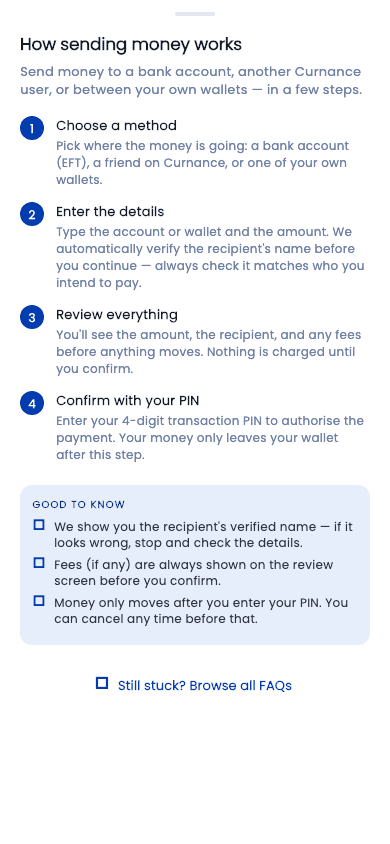
As shown in the Curnance app
Top up your wallet with your card, a bank transfer, USSD, or mobile money.
- 1
Choose how to pay
Card is instant. Bank transfer, USSD and mobile money let you pay from your bank — follow the instructions shown for your bank.
- 2
Enter the amount
Type how much you want to add. You'll see exactly what you'll pay before continuing.
- 3
Complete the payment
For cards, your bank may ask you to approve the payment (OTP or 3-D Secure). For bank transfer, send the exact amount to the account shown.
- 4
Money lands in your wallet
Once your payment is confirmed, your balance updates automatically — usually within seconds.
Good to know
- Bank transfer top-ups must be the exact amount shown, from your own account.
- If your balance doesn't update immediately, the payment is still being confirmed by your bank.
- You never pay fees twice — the amount you see is the amount you pay.
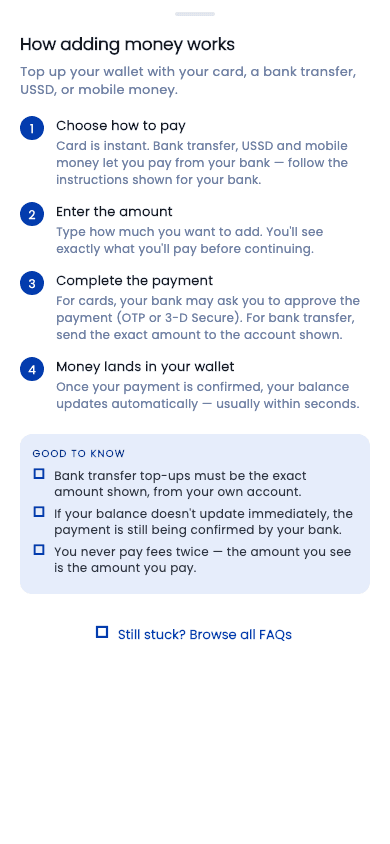
As shown in the Curnance app
Move money from your Curnance wallet to your bank account.
- 1
Choose wallet and amount
Pick which wallet to withdraw from and how much. Your available balance is shown so you can't overdraw.
- 2
Pick your bank account
Choose one of your saved bank accounts. We verify the account name so you can be sure it's yours.
- 3
Confirm with your PIN
Enter your 4-digit transaction PIN to authorise the withdrawal. Nothing moves before this step.
- 4
Money is sent to your bank
The withdrawal is processed and paid into your bank account. You'll see the result on screen and in your transaction history.
Good to know
- Withdrawals can only go to a bank account in your own name.
- If a withdrawal fails, the money stays in your wallet — it is never lost.
- You can track every withdrawal under Transactions.
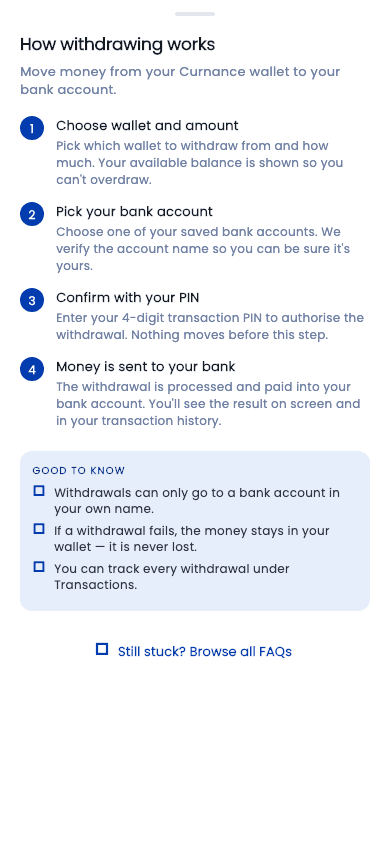
As shown in the Curnance app
Convert money from your local wallet into a foreign-currency wallet at the live exchange rate.
- 1
Choose the wallets
Pick the wallet you're paying from and the foreign-currency wallet you want to top up.
- 2
Enter the amount
Type how much you want to spend. We instantly show how much foreign currency you'll receive at the current rate.
- 3
Review the rate
The payment summary shows the exact rate and the exact amount you'll get — before anything moves.
- 4
Confirm with your PIN
Enter your 4-digit transaction PIN. The conversion completes immediately and both balances update.
Good to know
- The rate you see on the summary screen is the rate you get.
- You can check today's rates any time from the Exchange screen — no transaction needed.
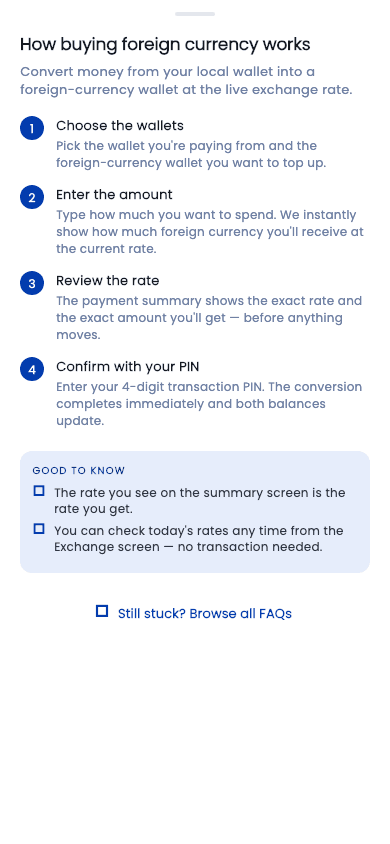
As shown in the Curnance app
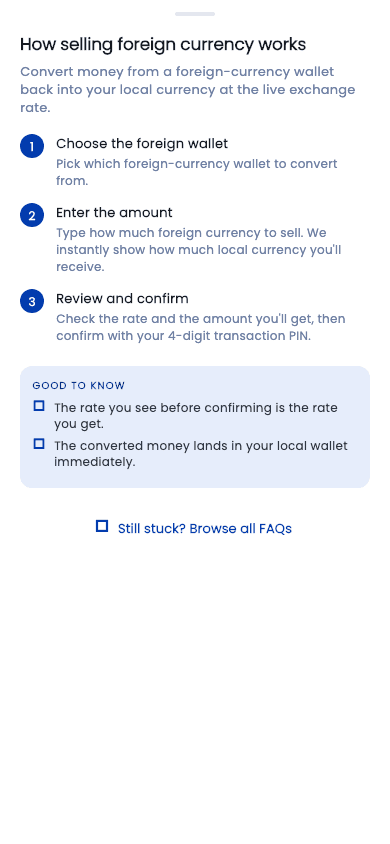
Convert money from a foreign-currency wallet back into your local currency at the live exchange rate.
- 1
Choose the foreign wallet
Pick which foreign-currency wallet to convert from.
- 2
Enter the amount
Type how much foreign currency to sell. We instantly show how much local currency you'll receive.
- 3
Review and confirm
Check the rate and the amount you'll get, then confirm with your 4-digit transaction PIN.
Good to know
- The rate you see before confirming is the rate you get.
- The converted money lands in your local wallet immediately.
As shown in the Curnance app
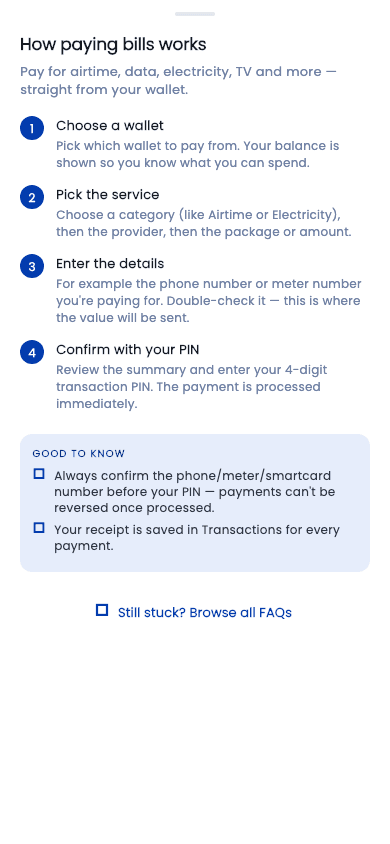
Pay for airtime, data, electricity, TV and more — straight from your wallet.
- 1
Choose a wallet
Pick which wallet to pay from. Your balance is shown so you know what you can spend.
- 2
Pick the service
Choose a category (like Airtime or Electricity), then the provider, then the package or amount.
- 3
Enter the details
For example the phone number or meter number you're paying for. Double-check it — this is where the value will be sent.
- 4
Confirm with your PIN
Review the summary and enter your 4-digit transaction PIN. The payment is processed immediately.
Good to know
- Always confirm the phone/meter/smartcard number before your PIN — payments can't be reversed once processed.
- Your receipt is saved in Transactions for every payment.
As shown in the Curnance app
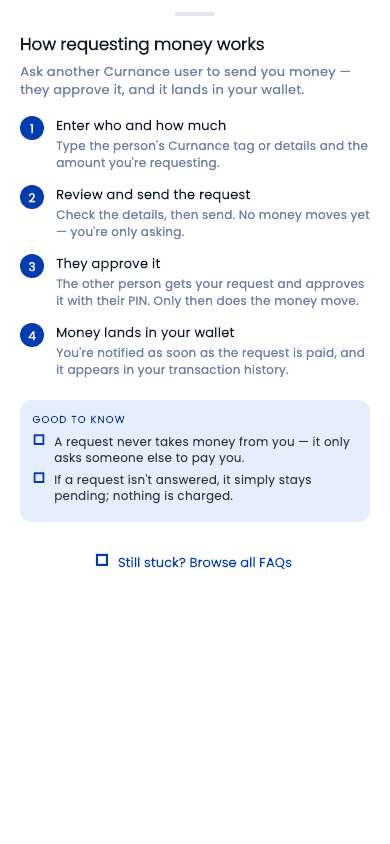
Ask another Curnance user to send you money — they approve it, and it lands in your wallet.
- 1
Enter who and how much
Type the person's Curnance tag or details and the amount you're requesting.
- 2
Review and send the request
Check the details, then send. No money moves yet — you're only asking.
- 3
They approve it
The other person gets your request and approves it with their PIN. Only then does the money move.
- 4
Money lands in your wallet
You're notified as soon as the request is paid, and it appears in your transaction history.
Good to know
- A request never takes money from you — it only asks someone else to pay you.
- If a request isn't answered, it simply stays pending; nothing is charged.
As shown in the Curnance app
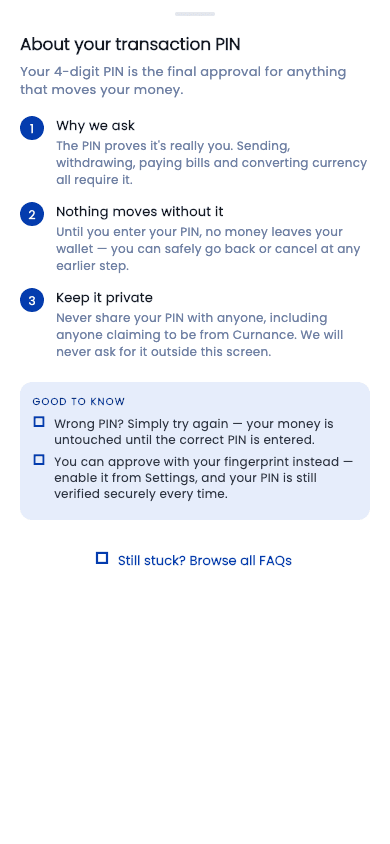
Your 4-digit PIN is the final approval for anything that moves your money.
- 1
Why we ask
The PIN proves it's really you. Sending, withdrawing, paying bills and converting currency all require it.
- 2
Nothing moves without it
Until you enter your PIN, no money leaves your wallet — you can safely go back or cancel at any earlier step.
- 3
Keep it private
Never share your PIN with anyone, including anyone claiming to be from Curnance. We will never ask for it outside this screen.
Good to know
- Wrong PIN? Simply try again — your money is untouched until the correct PIN is entered.
- You can approve with your fingerprint instead — enable it from Settings, and your PIN is still verified securely every time.
As shown in the Curnance app
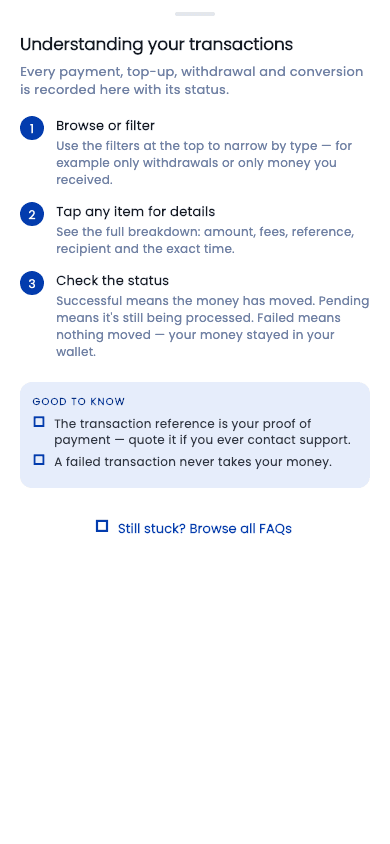
Every payment, top-up, withdrawal and conversion is recorded here with its status.
- 1
Browse or filter
Use the filters at the top to narrow by type — for example only withdrawals or only money you received.
- 2
Tap any item for details
See the full breakdown: amount, fees, reference, recipient and the exact time.
- 3
Check the status
Successful means the money has moved. Pending means it's still being processed. Failed means nothing moved — your money stayed in your wallet.
Good to know
- The transaction reference is your proof of payment — quote it if you ever contact support.
- A failed transaction never takes your money.
As shown in the Curnance app
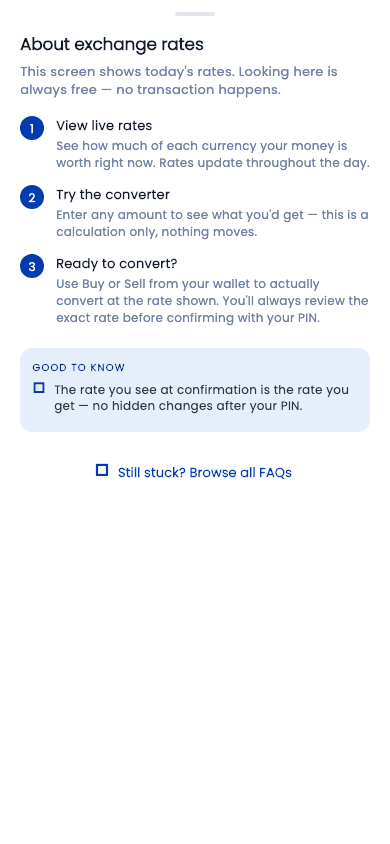
This screen shows today's rates. Looking here is always free — no transaction happens.
- 1
View live rates
See how much of each currency your money is worth right now. Rates update throughout the day.
- 2
Try the converter
Enter any amount to see what you'd get — this is a calculation only, nothing moves.
- 3
Ready to convert?
Use Buy or Sell from your wallet to actually convert at the rate shown. You'll always review the exact rate before confirming with your PIN.
Good to know
- The rate you see at confirmation is the rate you get — no hidden changes after your PIN.
As shown in the Curnance app
General FAQ's
Everything you need to know about Curnance and how it works. Didn't find the answer you were looking for? Contact us